
Portfolio view
Details and valuation of all the assets of a management units selection
Management units selection
Select management units with selection boxes
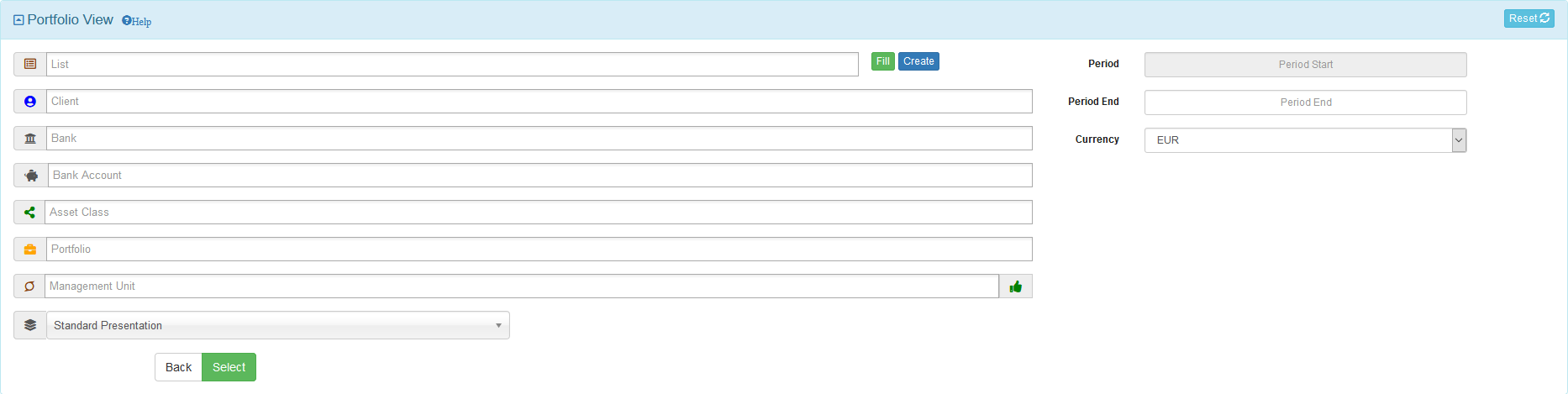
Date selection
By default the portfolio view is established in real time
Enter a valid historical booking period (YYYYMM format) in the Period End box to obtain a historical portfolio view

Currency selection
The portfolio view is established in the currency selected by the Currency box

Grouping selection
Assets can be grouped according to configurable predefined criteria
By default, the grouping is done according to a standard presentation of the asset classes, which can be modified by the Grouping box

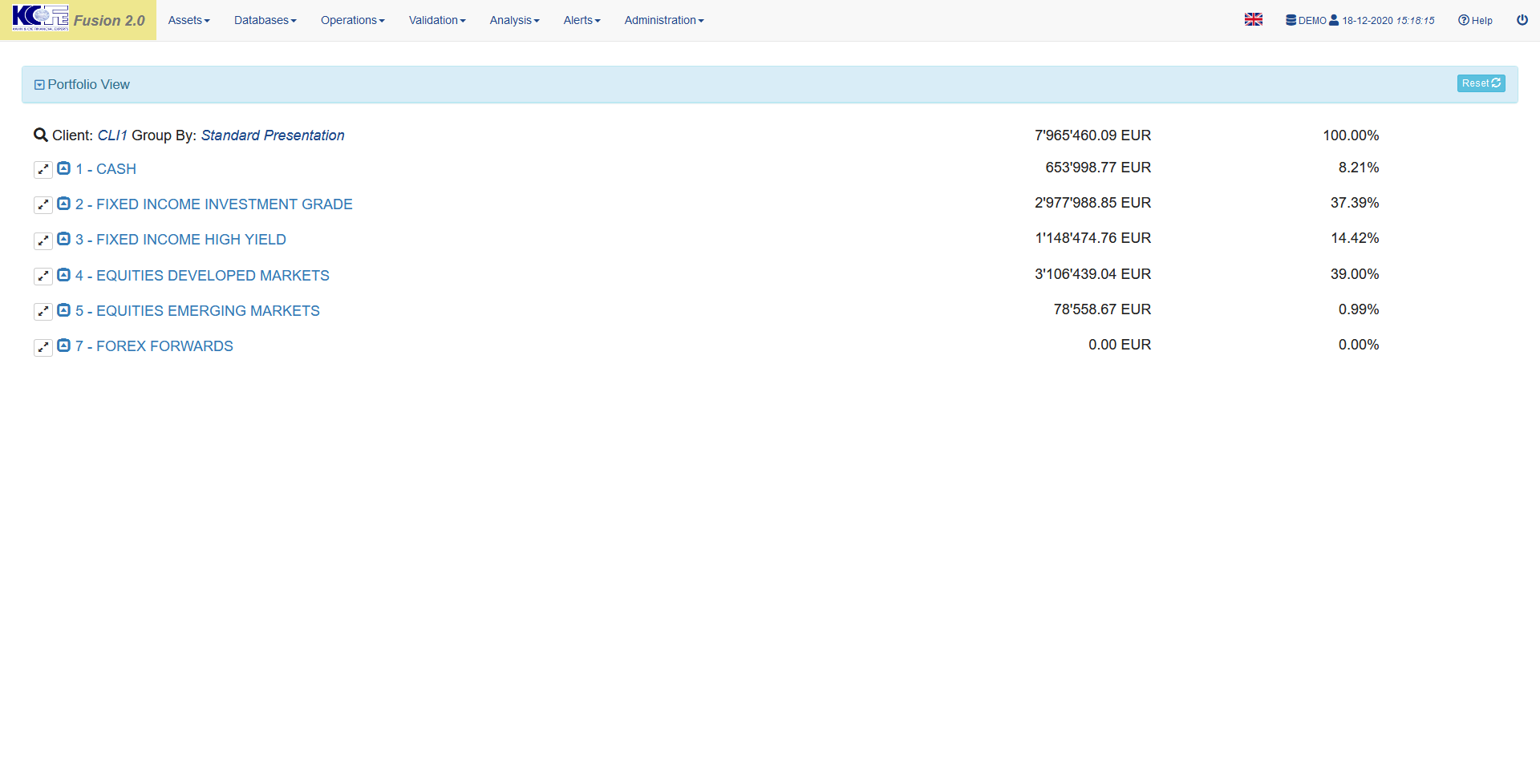
Grouped view
Assets can be grouped according to configurable predefined criteria
By default, the grouping is done according to a standard presentation of the asset classes, which can be modified by the Grouping box
Values in currency show the sum of the group asset valuations
Values in percent show the percentage of the group asset valuations over the total valuation
Detailed view
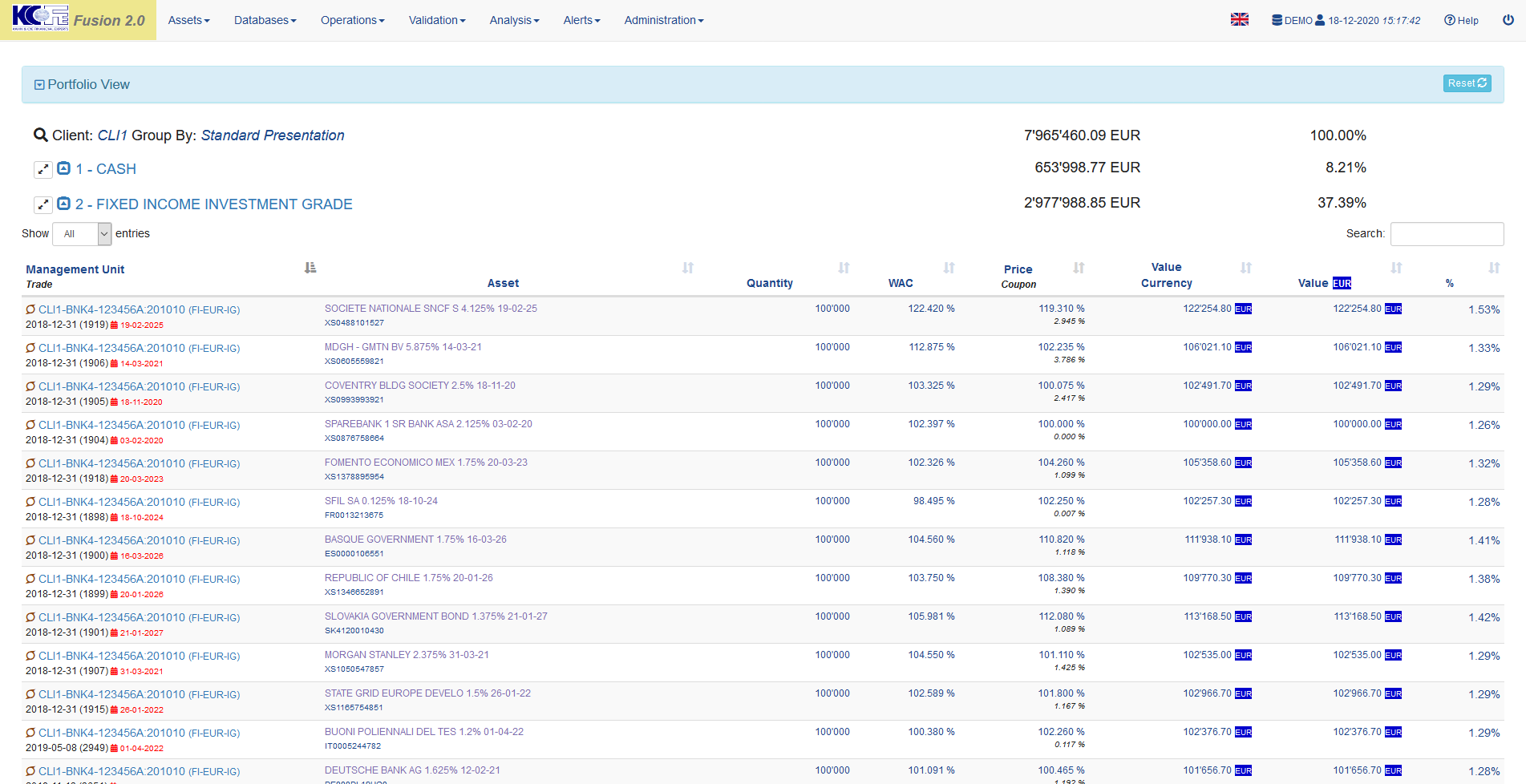
Each grouping can be opened by clicking on its label
All groups can be opened simultaneously by clicking on the double arrow at the beginning of the line
The selection can be filtered by terms entered in the search box

Data table
- Management Unit = management unit code
- Trade = trade code, cash account number for cash, trade opening date and number for securities
- Asset = asset denomination and ISIN code
- Quantity = asset quantity
- WAC = asset Weighted Average Cost
- Price = asset valuation price
- Coupon = asset accrued interest
- Value Currency = asset total value in asset currency
- Value = asset total value in view currency
- % = percentage of the asset value in view currency over the total value in view currency
Calculations
- Weighted Average Cost = sum (purchase costs) / sum (purchase quantities)